








我的世界基岩版26.0发布
I'm not sure what to start with today – the baby mob redesigns and craftable name tags coming into testing? Or the fact that this release is the first that follows our new numbering system? Actually, why choose! In this release we're entering 26.0, and thanks to the weeks we've spent teaching the nautilus some new moves, you'll find some new swimming animations for this underwater mount. We've also fixed a bug with Nether Portals so you can light them with lava again. In testing, you'll be able to try out crafting name tags, and meet new redesigns for baby mobs! And that's not all, either. Let's dive in!
我今天都不知道该从哪儿说起好 —— 是开始测试的幼年生物重做和可合成命名牌?还是说,这是我们首次启用 新版本命名体系?其实,何必选择!本次发布我们进入 26.0 版本,经过数周教鹦鹉螺新动作,你会发现这款水下坐骑有了全新的游泳动画。我们还修复了下界传送门的漏洞,你现在可以再次用岩浆激活传送门。在测试中,你可以试用可合成的命名牌,并见识全新重做的幼年生物!而且这还不是全部。让我们深入了解!
EXPERIMENTAL FEATURES
实验性玩法
GENERAL
通用
Added experimental toggle for Drop 1 of 2026
为2026年首个小更新添加了实验性选项
ITEMS
物品
Name Tags are now craftable, using paper and any metal nugget
命名牌现在可以使用纸和任意金属颗粒合成
BABY MOBS
幼年生物
Updated the models and textures of the following Baby Mobs:
更新了以下幼年生物模型与纹理:
Cow
牛
Tweaked the bounding box of both adult and baby to align with Java Edition and the new model
调整了成年和幼年变种的碰撞箱,以匹配 Java 版及新模型
Mooshroom
哞菇
Tweaked the bounding box of both adult and baby to align with Java Edition and the new model
调整了成年和幼年变种的碰撞箱,以匹配 Java 版及新模型
Pig
猪
Wolf
狼
Tweaked the bounding box of both adult and baby to align with Java Edition and the new model
调整了成年和幼年变种的碰撞箱,以匹配 Java 版及新模型
Known Issue: The MERS texture of the tamed Wolf is currently a placeholder, and will be updated in a future Preview update
已知问题:已驯服的狼的MERS纹理目前是占位符,将在未来的Preview更新中更新
Rabbit
兔子
Both adult and baby Rabbits also received new animations
成年和幼年变种也拥有新的动画
Tweaked the bounding box to align with the new model
调整了碰撞箱以匹配新模型
Cat
猫
Tweaked the baby's bounding box to align with the new model
调整了幼年变种的碰撞箱以匹配新模型
Ocelot
豹猫
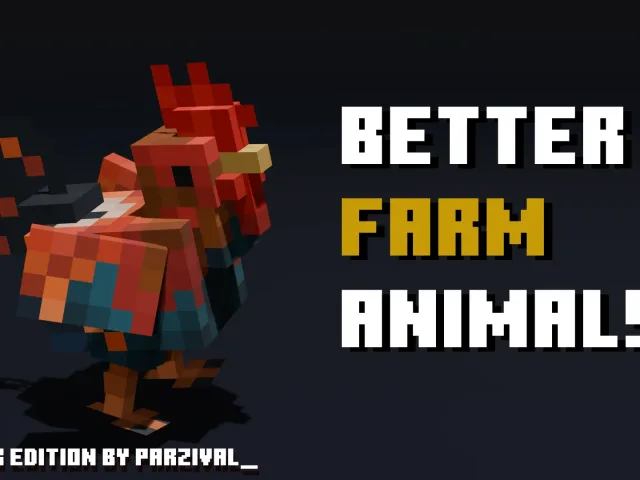
Chicken
鸡
Tweaked the bounding box to align with the new model
调整了碰撞箱以匹配新模型
Sheep
绵羊
Using a Spawn Egg on the corresponding Mob will now spawn the Baby form of that Mob
对相应生物使用刷怪蛋现在会生成该生物的幼年变种
SOUNDS
音效
Baby Pigs, Cats, and Wolves, now have a unique set of sounds
幼年猪、猫和狼现在拥有独特的音效
Known Issue: Adult Wolf sound variants are currently not working as expected, and will be fixed in a future release
已知问题:成年狼的音效目前未按预期工作,将在未来的版本中修复
FEATURES AND BUG FIXES
特性和漏洞修复
NEW VERSION NUMBERING SYSTEM
新的版本编号系统
Going forward, we'll be numbering our versions based on the year. So, for both Bedrock and Java Edition, version numbers in the year 2026 will begin with ‘26'
今后,我们将基于年份来为版本编号。因此,对于基岩版和 Java 版,2026 年的版本号都将以 '26' 开头
For a deeper look into the changes, check out aka.ms/MinecraftVersionUpdate
如需深入了解更改内容,请查看 aka.ms/MinecraftVersionUpdate
ACCOUNTS
账户
Fixed player data becoming disconnected from account for Xbox players in split-screen mode (MCPE-233088)
修复了分屏模式下Xbox玩家账户与玩家数据断开连接的问题 (MCPE-233088)
ACCESSIBILITY
辅助功能
The new Gameplay subtitles (closed captions) will remain in the Beta and Preview versions only for a while longer, while we work on polishing and bug fixing
新的游戏玩法字幕(隐藏字幕)将在预览版中再保留一段时间,同时我们正在进行打磨和错误修复
BLOCKS
方块
Bamboo Stalks no longer pop in as obviously, from a distance they have no transparency instead (like Sugar Cane and Cactus) unless on Simple graphics
竹竿不再那么明显地突然出现,除非在简单图形设置下,否则从远处看它们没有透明度(像甘蔗和仙人掌一样)
Rotated Y axis orientation of blocks in hand rendered in third person to match Java (MCPE-231979)
旋转了第三人称视角下手持方块的Y轴朝向以匹配 Java 版(MCPE-231979)
CREATOR
创作者
Added command macro support
添加了命令宏支持
Adds toggle to the Creator Settings screen, which when enabled adds 10 new key mappings to the keyboard/mouse controls settings screen which each have a text input for what command to run when the input is pressed
在创作者设置屏幕中添加了一个切换开关,启用后会在键盘/鼠标控制设置屏幕中添加10个新的按键映射,每个映射都有一个文本输入框,用于指定按下输入时要运行的命令
Commands can only be run while in game
命令只能在游戏中运行
All re-mappable keys are coordinates of Alt plus the chosen key
所有可重新映射的按键都是 Alt 键加上所选按键的组合键
Added guard to prevent mapping a command macro key to Alt, as Alt is the coordinates key already
添加了防护措施,防止将命令宏键映射到 Alt 键,因为 Alt 键已是坐标键
DRESSING ROOM AND CHARACTER CREATOR
更衣室和角色创建器
Fixed upgrade from UWP to GDK causing corrupt skin states
修复了从 UWP 升级到 GDK 导致皮肤状态损坏的问题
Updated Android Photo Picker instead of requesting media permissions.
更新了 Android 照片选择器,而非请求媒体权限。
While in a world, classic skins equipped within the marketplace will now be reflected in game after exiting the marketplace and unpausing
在游戏中时,从市场退出并取消暂停后,市场中装备的经典皮肤现在会在游戏中体现出来
Loading cached appearances works while offline
离线时加载缓存的皮肤外观仍可正常工作
Prefer loading cached appearance over random skin
优先加载缓存的皮肤外观而非随机皮肤
GAMEPLAY
玩法
Vindicator now correctly attacks all non-illager mobs when the nametag "Johnny" is applied (REALMS-13166)
卫道士现在在应用名称标签 "Johnny" 时会正确攻击所有非灾厄村民生物 (REALMS-13166)
Fixed an issue that caused Nether Portals to not get ignited by lava (MCPE-232906)
修复了下界传送门无法被岩浆点燃的问题 (MCPE-232906)
Fixed the End gateway portal that teleported the player to the void area (MCPE-228267)
修复了末地折跃门会将玩家传送至虚空的问题(MCPE-228267)
GENERAL
通用
The Adventuring Time achievement no longer unlocks after visiting fewer than 17 biomes on PC (MCPE-156784)
在 PC 上游玩时,“探索的时光” 成就现在不会在到达少于17个生物群系后解锁(MCPE-156784)
Fixed an issue on Windows where the window reset to a smaller size on reopening, even when a single monitor had sufficient space (MCPE-228875)
修复了 Windows 上的一个问题,即窗口在重新打开时会重置为较小尺寸,即使单个显示器有足够空间(MCPE-228875)
GRAPHICAL
图像
Fixed a bug where screenshots taken with Ray Traced graphics mode selected did not render accurately
修复了在使用光线追踪图形模式时拍摄的截图渲染不准确的问题
Fixed an issue where block highlight was not visible when the Outline Selection toggle was turned off in Vibrant Visuals (MCPE-222491)
修复了在灵动视效中关闭轮廓选择切换时方块高亮不可见的问题 (MCPE-222491)
Fixed an issue where the graphics mode options were changing after game updates (MCPE-226682)
修复了游戏更新后图形模式选项会改变的问题(MCPE-226682)
Fixed water extinction being drawn over fog when the chunk behind it is missing in Vibrant Visuals
修复了在灵动视效中,当后方区块缺失时,水的消光效果绘制在迷雾绘制之上的问题
Fixed an issue that caused darker colors in some skins to appear washed out in Vibrant Visuals (MCPE-206669)
修复了导致某些皮肤中较深的颜色在灵动视效中看起来褪色的问题 (MCPE-206669)
Fixed a bug with the 'Hide Sky Flashes' option causing The End entrance sound to loop
修复了 “隐藏天空闪光” 选项导致末地入口音效循环播放的问题
Fixed note effects on Note Blocks not displaying the correct color in darkness
修复了音符盒的音符效果在黑暗中不正确显示颜色的问题
Fixed an issue that caused lighting on End Portals to render incorrectly if a resource pack defined a Portal block as a point light in Vibrant Visuals
修复了当资源包在灵动视效中将末地传送门方块定义为点光源时,其光照渲染不正确的问题
Made the fire effect on burning mobs and players dither when the player-camera is nearby
当玩家相机靠近时,使着火的生物和玩家身上的火焰效果变得透明
Fixed the Snow Golem's pumpkin head not being dithered when the toggle is enabled (MCPE-228082)
修复了启用切换时雪傀儡的南瓜头未进行抖动处理的问题 (MCPE-228082)
Fixed dithered objects flickering when resolution is set to 50% in Vibrant Visuals (MCPE-231582)
修复了在灵动视效中将分辨率设置为 50% 时抖动物体闪烁的问题 (MCPE-231582)
Fixed a bug that would sometimes allow sunlight to shine through walls, e.g. near cave entrances, in Vibrant Visuals mode
修复了在灵动视效下,有时阳光会穿透墙壁(例如洞穴入口附近)的漏洞
The textures of Stripped Spruce Logs and Stripped Spruce Wood are now in parity with Java (MCPE-137379)
去皮云杉原木和去皮云杉木的纹理现已与 Java 版保持一致(MCPE-137379)
Fixed an issue where textures would not be correctly reloaded when changing between graphics modes in the main menu
修复了在主菜单中切换图形模式时纹理无法正确重新加载的问题
Mobs no longer randomly flicker every few seconds (MCPE-220557)
生物不再每隔几秒随机闪烁(MCPE-220557)
Fixed shadow stripes appearing on the ground during sunset and sunrise with high FoV on low quality settings in Vibrant Visuals mode.
修复了在灵动视效模式下,低画质设置配合高视野角度时,日出日落期间地面上出现的阴影条纹。
Fixed an issue that caused all player markers on locator maps to have the same color in Vibrant Visuals mode.
修复了在灵动视效下导致所有定位地图上的玩家标记颜色相同的问题。
Fixed an issue which was causing textured items held-in-hand to be double-tinted in Vibrant Visuals mode.
修复了在灵动视效下导致手持纹理物品被双重着色的问题。
Fixed an issue in the Editor that would cause the viewport to become distorted in Vibrant Visuals mode when using the Paste or Repeater tool
修复了在编辑器中使用粘贴或重复工具时,在灵动视效效果模式下会导致视口扭曲的问题
Fixed an issue where the screen would be completely black when the camera was inside of a block in Vibrant Visuals mode. (MCPE-221667)
修复了在灵动视效下,当摄像机位于方块内部时屏幕会完全变黑的问题。(MCPE-221667)
Fixed an issue that caused banner poles to appear darker in Vibrant Visuals.
修复了导致旗帜在灵动视效中显得更暗的问题。
Fixed shields with banner designs rendering incorrectly when equipped in first person. (MCPE-232638)
修复了带有旗帜图案的盾牌在第一人称视角下装备时渲染不正确的问题。(MCPE-232638)
Dithering
抖动
Added dithering to items held by Players and Mobs if dithering is enabled in Accessibility menu.
如果已在无障碍菜单中启用抖动效果,则为玩家和生物手持的物品添加抖动效果。
Added dithering to skulls, heads, chests, shulker boxes, banners, conduits, decorated pots and copper colem statues held by Players and Mobs if dithering is enabled in the Accessibility menu.
在辅助功能菜单中启用了抖动功能后,为玩家和生物手持的头颅、箱子、潜影盒、旗帜、潮涌核心、饰纹陶罐和铜傀儡像添加了抖动效果。
Added Cobweb block to the list of ditherable blocks.
将蜘蛛网方块添加到可染色方块列表中。
Fixed dithering for equipped shields with banner designs when held by entities.
修复了实体手持带有旗帜图案的盾牌时的抖动问题。
Data-driving
数据驱动
Added the ability to specify ambient light colors according to the time of day in the Vibrant Visual lighting configuration files.
在灵动视效配置文件中添加了根据一天中的时间指定环境光颜色的功能。
Added the ability to specify ambient light illuminances according to the time of day in the Vibrant Visual lighting configuration files.
在灵动视效配置文件中添加了根据一天中的时间指定环境光照度的功能。
Added the ability to specify sky light intensity according to the time of day in the Vibrant Visual lighting configuration files.
在灵动视效配置文件中添加了根据一天中的时间指定天空光照强度的功能。
INPUT
输入
Fixed an issue where pressing the Alt key would cause the game to freeze display (MCPE-230294)
修复了按下 Alt 键会导致游戏画面冻结的问题(MCPE-230294)
The on-screen keyboard will now close when typing with a physical keyboard (MCPE-228584)
使用物理键盘输入时,屏幕键盘现在会关闭 (MCPE-228584)
Fixed not being able to type into a text box when hovered (MCPE-229178)
修复了悬停时无法在文本框中输入的问题 (MCPE-229178)
Fixed an issue on Windows where the camera would shift slightly after closing the pause menu (MCPE-227945)
修复了 Windows 平台上关闭暂停菜单后相机视角略微偏移的问题(MCPE-227945)
Fixed a bug on Windows where scrolling could cause the camera to move (MCPE-230921)
修复了 Windows 上滚动可能导致相机移动的错误(MCPE-230921)
ITEMS
物品
Spears now rotate in the same direction when charging in first and third person view
矛现在在第一人称和第三人称视角蓄力时会朝相同方向旋转
Fixed an issue where adding items to a Bundle in a Chest would sometimes not save after leaving the game (MCPE-187058)
修复了在箱子中向收纳袋添加物品后,有时在退出游戏时不会保存的问题(MCPE-187058)
Diamond and Netherite Horse Armor now provide toughness values of 2 and 3, respectively
钻石和下界合金马铠现在分别提供2点和3点的盔甲韧性
Diamond and Netherite Nautilus Armor now provide toughness values of 2 and 3, respectively
钻石和下界合金鹦鹉螺铠现在分别提供2和3点的盔甲韧性
Horse Armor, Nautilus Armor, and Wolf Armor now display their toughness, armor, and knockback resistance values when greater than 0
马铠、鹦鹉螺铠和狼铠现在会在其盔甲韧性、护甲值和击退抗性值大于0时显示这些数值
Piglin Spawn Egg and Piglin Brute Spawn Egg are now correctly sorted in alphabetical order (MCPE-231580)
猪灵刷怪蛋和猪灵蛮兵刷怪蛋现在已按字母顺序正确排序 (MCPE-231580)
Fixed an issue where the map marker was stuck when a Locator Map in an Item Frame was deleted (MCPE-185362)
修复了删除物品展示框中的定位地图时地图标记卡住的问题(MCPE-185362)
Diamond Horse Armor now provides 2 points of toughness, while Golden Horse Armor provides none (MCPE-232700)
钻石马铠现在提供 2 点盔甲韧性,而金马铠不提供盔甲韧性 (MCPE-232700)
Carried item models will no longer be larger when using a HD texture pack (MCPE-169754)
使用高清纹理包时,手持物品模型将不再变大 (MCPE-169754)
Equipping an item with a storage item component in an armor or hand slot will no longer delete storage contents.
将带有存储物品组件的物品装备到盔甲或手持槽位时,将不再删除存储内容。
Fixed an issue where trimmed armor would not appear correctly after suspending and resuming the game. (MCPE-234122)
修复了在暂停并回到游戏后,纹饰盔甲无法正确显示的问题。(MCPE-234122)
Items now flow properly in water again (MCPE-234749)
物品现在能在水中正常流动了 (MCPE-234749)
MOBS
生物
Wolf shadow and model are now centered (MCPE-176018)
狼的阴影和模型现在已居中 (MCPE-176018)
The baby variants of Zombies, Zombie Villagers, Drowned, and Husks now drop items when killed (MCPE-93172)
僵尸、僵尸村民、溺尸和尸壳的幼年变种现在被杀死时会掉落物品(MCPE-93172)
The baby variants of Squid and Glow Squid no longer drop items when killed (MCPE-189551)
鱿鱼和发光鱿鱼的幼年变种在被杀死时不再掉落物品(MCPE-189551)
Fixed an issue where Polar Bears recalculated their path to the target twice as often during the stomp attack
修复了北极熊在发动攻击期间重新计算路径至目标的频率翻倍的问题
Improved movement logic for Nautili and other underwater mobs
改进了鹦鹉螺及其他水下生物的运动逻辑
They are now less likely to get stuck on block edges
它们现在更不容易卡在方块边缘
When tempted, they navigate around obstacles instead of moving in a straight line toward the player
当被吸引时,它们会绕过障碍物移动,而不是直线朝玩家移动
They no longer spin while moving vertically
它们在垂直移动时不再旋转
They no longer move excessively slowly when moving vertically
它们在垂直移动时不再过快地移动
Mob effect particles can now appear slightly outside of the mob's bounding box
生物效果粒子现在可以略微出现在生物的碰撞箱之外
Tweaked the chance of Zombie Riders spawning with Copper Armor to more closely match Java (MCPE-229469)
调整了僵尸骑手生成时携带铜盔甲的几率,以更接近Java版(MCPE-229469)
Tweaked the chance of Husk Riders spawning with Copper Armor to more closely match Java
调整了尸壳骑手生成时携带铜盔甲的几率,以更接近Java版
Players and baby Drowned no longer float on Nautili when riding them
玩家和幼年溺尸在骑乘鹦鹉螺时不再漂浮
Attachable items no longer render when equipped to a Zombie Nautilus via commands
通过命令为僵尸鹦鹉螺装备的可附着物品不再渲染
Drowned, Skeleton, Stray, Bogged and Parched can no longer pick up spears
溺尸、骷髅、流浪者、沼骸和焦骸不再能拾取矛
Zombies that spawn riding Zombie Horses now have a loot table with an armor chance matching that of regular Zombies (MCPE-232098)
生成时骑着僵尸马的僵尸现在拥有与普通僵尸相同的盔甲掉落概率的战利品表 (MCPE-232098)
Baby Horses, Donkeys, and Mules no longer gradually grow in size as they age, matching Java Edition (MCPE-121628)
幼年马、驴和骡子不再随着时间增长而逐渐变大,与 Java 版保持一致 (MCPE-121628)
Fixed a bug where baby Zombie Horses would shrink in size when they grew into adult Zombie Horses
修复了一个幼年僵尸马在成长为成年僵尸马时会缩小体型的问题
They cannot now grow into adult Zombie Horses at all, matching Java Edition
它们现在完全无法成长为成年僵尸马,与 Java 版保持一致
Nautilus and baby Nautilus now have swim sounds
鹦鹉螺和幼年鹦鹉螺现在拥有游泳音效
Zombie Nautilus now has swim sounds
僵尸鹦鹉螺现在拥有游泳音效
Nautilus now has alternative ambient, hurt, and death sounds when on land
鹦鹉螺现在在陆地上拥有替代的环境、受伤和死亡音效
Baby Nautilus now has unique swim sounds, including alternative ambient, hurt, and death sounds when on land
幼年鹦鹉螺现在拥有独特的游泳音效,包括在陆地上时的空闲、受伤和死亡时的音效
Zombie Nautilus now has alternative ambient, hurt, and death sounds when on land
僵尸鹦鹉螺现在在陆地上拥有空闲、受伤和死亡时的音效
Baby Drowned can now spawn with Tridents
幼年溺尸现在可以手持三叉戟生成
Adjusted the ratio at which Drowned spawn with Tridents and Fishing Rods, matching Java Edition
调整了溺尸生成时持有三叉戟和钓鱼竿的比例,以匹配 Java 版
Creaking attack animation is no longer cut short (MCPE-187288)
嘎吱攻击动画不再被中途打断 (MCPE-187288)
The Water Breathing effect now prevents the Nautilus from suffocating outside of water, consistent with its behavior for other aquatic mobs (MCPE-232061)
水下呼吸效果现在可以防止鹦鹉螺在离开水后窒息,这与其他水生生物的行为保持一致(MCPE-232061)
Drowned can now control the Zombie Nautilus they ride, allowing them to actively chase their target (MCPE-232370)
溺尸现在可以控制它们骑乘的僵尸鹦鹉螺,使其能够主动追击目标 (MCPE-232370)
The Baby Zombie Horse can no longer be ridden
幼年僵尸马现在无法被骑乘
The Baby Zombie Horse can no longer be equipped with a Saddle or Horse Armor
幼年僵尸马现在无法装备鞍或马铠
The following undead mobs will no longer panic when hit
以下亡灵生物被击中时将不再惊慌
Camel Husks
骆驼尸壳
Skeleton Horses
骷髅马
Zombie Horses
僵尸马
Wolf Armor is now aligned to the Wolf when it has the Armor equipped (MCPE-232488)
当狼装备狼铠时,狼铠现在会与狼对齐(MCPE-232488)
Fixed a bug that prevented some zombie variants to form Chicken Jockeys, including: (MCPE-223845)
修复了一个阻止某些僵尸变种形成鸡骑士的问题:包括:(MCPE-223845)
Baby Drowned
幼年溺尸
Baby Husk
幼年尸壳
Baby Zombie Villager
幼年僵尸村民
Baby Zombified Piglin
幼年僵尸猪灵
These now have the random ability to sometimes mount the following mobs:
它们现在有时可以骑乘以下生物:
Cat
猫
Cave Spider
洞穴蜘蛛
Chicken
鸡
Cow
牛
Donkey
驴
Horse
马
Husk
尸壳
Mooshroom
哞菇
Mule
骡子
Ocelot
豹猫
Panda
熊猫
Pig
猪
Spider
蜘蛛
Wolf
狼
Zombie
僵尸
Zombie Horse
僵尸马
Zombie Villager
僵尸村民
Zombified Piglin
僵尸猪灵
Zombie horses and Zombie Nautiluses no longer occasionally burn while swimming in water (MCPE-229542)
僵尸马和僵尸鹦鹉螺在水中游泳时不再偶尔燃烧 (MCPE-229542)
Fixed a bug where most mobs would stare at players, mobs or targets for an excessive amount of time
修复了一个大多数生物会长时间注视玩家、其他生物或目标的问题
For more details see the technical section
更多详情请参阅技术章节
Fixed bug where several mobs would look at players from a further distance than intended
修复了多个生物从比预期更远的距离注视玩家的问题
Allay
悦灵
Armadillo
犰狳
Axolotl
美西螈
Camel
骆驼
Frog
青蛙
Sniffer
嗅探兽
Tadpole
蝌蚪
Turtle
海龟
Wolf
狼
All three Nautilus variants no longer have a gap between their head and shell (MCPE-231602)
所有三种鹦鹉螺变种的头和壳之间不再有间隙 (MCPE-231602)
Improved swimming animations for all three Nautilus variants:
为所有三种鹦鹉螺变种改进了游泳动画:
The head now slightly retracts into the shell while swimming, creating a propelling motion
头部现在在游泳时会轻微缩回壳中,产生推进动作
This only occurs when the Nautilus is moving and not being ridden
此情况仅当鹦鹉螺移动且未被骑乘时发生
Nautilus and Zombie Nautilus no longer have permanently increased movement speed after becoming hostile
鹦鹉螺和僵尸鹦鹉螺在敌对后不再永久提升移动速度
Skeleton Horse, Zombie Horse, Zombie Nautilus, and Husk Camel are no longer damaged by the Conduit
骷髅马、僵尸马、僵尸鹦鹉螺和骆驼尸壳不再受到潮涌核心的伤害
Skeleton Horse, Zombie Horse, Zombie Nautilus, and Husk Camel no longer prevent the Player from sleeping when nearby
骷髅马、僵尸马、僵尸鹦鹉螺和骆驼尸壳在附近时不再阻止玩家睡觉
PROJECTILES
弹射物
Lingering and Splash Potions now deflect Ghast Fireballs and other deflectable projectiles on hit (MCPE-191655)
滞留与喷溅药水现在会在击中时偏转恶魂火球及其他可偏转的抛射物(MCPE-191655)
All projectiles now deflect Ghast fireballs and other deflectable projectiles on hit (MCPE-232731)
所有抛射物现在会在击中时偏转恶魂火球和其他可偏转抛射物 (MCPE-232731)
REALMS
REALMS
Fixed "Realm couldn't load" error from occurring after joining a Realm via invite
修复了通过邀请加入 Realm 后出现“Realm 无法加载”错误的问题
Fixed input legends for Realms purchase reconciliation modal
修复了 Realms 购买对账的输入图例问题
Fixed issue where narration was not always reading the description for the "Free up space" popup dialog when using a mouse
修复了使用鼠标时旁白并非总是朗读“释放空间”弹出对话框描述的问题
The description and storage bar labels under the "Free up space" popup dialog are now treated as two separate objects for narration instead of one
“释放空间”弹出对话框下的描述和存储栏标签现在被视为两个独立的叙述对象,而非一个
For the Realms Edit World screen, the description of the Reset and Replace confirmation modals have been updated
对于 Realms 编辑世界屏幕,重置与替换确认模式的描述已更新
Overwriting saves to create a new save while the "Automatic" tab is active no longer throws an error
当"自动"选项卡处于激活状态时,覆盖保存以创建新保存不再报错
The Realm Saves screen will now properly exit its loading state after encountering an error while performing a save, delete, or restore action
在执行保存、删除或恢复操作时遇到错误后,Realms 存档界面现在将正确退出其加载状态
Realms feed moderation report notifiers is now a separate screen instead of a modal to fix visual bugs.
Realms 动态内容审核报告通知器现已改为独立屏幕而非模态框,以修复视觉错误。
Fixed a bug where the game could crash if the player cancelled in the middle of creating a template world on a Realm.
修复了一个在 Realm 上创建模板世界过程中取消时可能导致游戏崩溃的错误。
The leading "1" is no longer displayed in the game server version for backups
游戏服务器版本中的前缀"1"不再在备份中显示
Fix players potentially getting stuck between Realms timeline opt-in screen and play on Realms progress screen
修复玩家可能卡在Realms时间线选择加入界面和Realms游玩进度界面之间的问题
Navigate players to a Realms Purchase Complete screen instead of showing a modal upon a successful purchase
在购买成功后,将玩家导航至 Realms 购买完成界面,而非显示模态框
Fixed bug in Realms where Villages would not generate until approached
修复了Realms中村庄直到接近时才会生成的错误
Fixed a freeze that could happen when buying a Realm on Nintendo Switch
修复了在Nintendo Switch上购买Realms时可能发生的卡顿问题
SOUNDS
音效
Saddle equip sound is no longer played twice
马鞍装备音效不再播放两次
Added underwater saddle sound for the Nautilus and the Zombie Nautilus
为鹦鹉螺和僵尸鹦鹉螺添加了在水下的鞍音效
Equipping Nautilus Armor through the UI now plays the equip sound
现在通过UI界面装备鹦鹉螺铠会播放装备音效
Players can now hear the Nautilus riding sound at 16 blocks distance, and the sound volume is now lower
玩家现在可以在16格距离处听到鹦鹉螺的骑乘音效,且音量现在更低
USER INTERFACE
用户界面
Cancelling during transfer between servers will no longer softlock players
在服务器间传输期间取消将不再导致玩家被软锁定
You can now change the world name in a new template world without unlocking settings (MCPE-188434)
现在你可以在新的模板世界中更改世界名称而无需解锁设置 (MCPE-188434)
Ambient mob effects in the Mob Effects screen now have a blue outline (MCPE-230838)
生物效果界面中的环境生物效果现在拥有蓝色边框 (MCPE-230838)
Fixed various interactions not swinging the player's hand (MCPE-52105)
修复了各种交互时玩家手臂不摆动的问题(MCPE-52105)
Leash interactions
拴绳交互
Bucketing a mob
将生物装入桶中
Feeding a mob its taming item
给生物喂食其驯服物品
Feeding a mob its aging item
给生物喂食其加速生长物品
Feeding a mob its trusting item
给生物喂食其信任物品
Feeding a mob its breeding item
给生物喂食其繁殖物品
Feeding a mob its healing item
给生物喂食其治疗物品
Feeding a mob its bribing item
给生物喂食其吸引物品
Attaching/removing a Balloon
连接/移除气球
Using a Name Tag on a mob
对生物使用命名牌
Starting to ride a mob
开始骑乘生物
Make a mob sit
让生物坐下
Giving a mob an item
给予生物一个物品
Starting to trade with a mob
开始与生物交易
Opening a mob's inventory
打开生物的背包
Applying dye to a mob
对生物使用染料
Interacting with an Armor Stand
与盔甲架互动
Interacting with a Redstone Ore block
与红石矿石方块互动
Interacting with a Beehive or Bee Nest block
与蜂箱或蜂巢方块互动
Curing a Zombie Villager
治愈僵尸村民
Shearing a mob
剪毛一个生物
Milking a Cow or Mooshroom
给牛或哞菇挤奶
Fixed a bug where the Escape key would not open the game menu when on the death screen
修复了在死亡界面时按Esc键无法打开游戏菜单的错误
Changed Settings button on the Game Menu back to being a text button. The change will be rolled out over the course of a few weeks, so you might not see the new menu right away.
将游戏菜单上的设置按钮改回文本按钮。此更改将在几周内逐步推出,因此你可能无法立即看到新菜单。
Newly bred and mounted baby Horses, Mules, and Donkeys now show the correct number of hearts when fully grown (MCPE-165899)
新繁殖并骑乘的幼年马、骡子和驴现在在完全长大后显示正确的生命值 (MCPE-165899)
Fixed a misleading message shown when trying to sleep in a Bed (MCPE-184973)
修复了尝试在床上睡觉时显示的误导性信息 (MCPE-184973)
Fixed a typo in the Minecoins section of Encyclopedia (MCPE-227680)
修复了百科全书中 Minecoins 部分的拼写错误 (MCPE-227680)
Fixed text inconsistency in the Navigation section of Encyclopedia (MCPE-228203)
修复了百科导航部分的文本不一致问题 (MCPE-228203)
Fixed typos in the Worlds section in Encyclopedia (MCPE-229652)
修复了百科中世界章节的拼写错误 (MCPE-229652)
Fixed incorrect character follow-cursor behavior in the inventory (MCPE-228287)
修复了物品栏中不正确的角色跟随光标行为 (MCPE-228287)
Fixed incorrect character follow-cursor behavior in the inventory (MCPE-228287)
修复了物品栏中不正确的角色跟随光标行为 (MCPE-228287)
Marketplace behavior packs will not be listed as reason for achievements disabled in Create new world (MCPE-232391)
市场行为包将不再被列为“创建新世界”中成就被禁用的原因 (MCPE-232391)
Fixed an issue where a text field would receive focus when the mouse hovered over it (MCPE-229178)
修复了鼠标悬停时文本字段会获得焦点的问题 (MCPE-229178)
Fixed an issue where it was impossible to enter text into the always listening text field after it lost focus (MCPE-230779)
修复了在失去焦点后无法在始终监听文本字段中输入文本的问题 (MCPE-230779)
Reverted name of "Only add/see trusted skins" option in Ore UI General Settings to "Only Allow Trusted Skins" and removed attached description (MCPE-229312)
将 Ore UI 通用设置中的“仅添加/查看受信任皮肤”选项名称恢复为“仅允许受信任皮肤”并移除了附加说明 (MCPE-229312)
Fixed the wrong panorama movement direction in the main menu (MCPE-225208)
修复了主菜单中全景图移动方向错误的问题 (MCPE-225208)
Fixed an issue that caused the graphics quality preset option under Vibrant Visual Options not to change to Custom the after adjusting the quality settings for the first time (MCPE-219844)
修复了在灵动视效下的图形质量预设选项在首次调整质量设置后未更改为“自定义”的问题 (MCPE-219844)
Fixed a bug that prevented strings within Storage Settings to update when changing language (MCPE-230775)
修复了切换语言时存储设置中的字符串无法更新的问题(MCPE-230775)
Reverted name of "Enter sleep mode when no inputs detected" option in Ore UI General Settings to "Lower framerate when controller is disconnected" and removed attached description (MCPE-229351)
将Ore UI通用设置中的"未检测到任何输入时进入睡眠模式"选项名称恢复为"当控制器断开连接时降低帧率"并移除了附加描述(MCPE-229351)
Fixed an issue that caused the "Extra large UI" option in Ore UI Video Settings to set the wrong GUI scale
修复了导致Ore UI视频设置中的"超大UI界面"选项设置错误GUI缩放的问题
Removed the "recommended" value information for "Deferred render distance" option when Vibrant Visuals graphics mode is selected in Ore UI Video Settings (MCPE-232366)
在Ore UI视频设置中选择“灵动视效”图形模式时,移除了“延迟渲染距离”选项的“推荐”值信息(MCPE-232366)
Fixed the description of the "Show player names" option in Ore UI Video Settings (MCPE-232690)
修复了Ore UI视频设置中"显示玩家名称"选项的描述(MCPE-232690)
Fixed a bug where the text to speech settings incorrectly auto enabled after restarting the game. (MCPE-232656)
修复了重启游戏后文本转语音设置错误自动启用的漏洞。(MCPE-232656)
Fixed an issue that caused the shield to appear colored if placed in a slot that previously contained a colored shield.
修复了将盾牌放入先前装有染色盾牌的槽位时,盾牌会显示为染色的问题。
Windows light and dark theme is now supported correctly for the title bar (MCPE-230820)
标题栏现已正确支持 Windows 浅色与深色主题 (MCPE-230820)
Worlds that have periods in the folder name on Windows will now show on the Play screen (MCPE-231432)
在Windows上文件夹名称中包含句号的世界现在会显示在游戏屏幕上(MCPE-231432)
Fixed a bug where global resource packs did not apply after leaving the settings screen. (MCPE-233214)
修复了退出设置界面后全局资源包未应用的漏洞。(MCPE-233214)
Fixed a bug where the social settings screen softlocks the game upon any dropdown selection. (MCPE-233215)
修复了社交设置界面在任何下拉菜单选择时导致游戏软锁定的漏洞。(MCPE-233215)
SETTINGS
设置
The new design for Settings will remain in the Beta and Preview versions only for a while longer, while we work on polishing and bug fixing
设置的新设计将在预览版中再保留一段时间,同时我们正在进行打磨和问题修复
VANILLA PARITY
原版趋同
The outline color of an active effect now changes if an ambient effect is replaced by an identical non-ambient effect, or vice versa (MCPE-230918)
当环境效果被相同的非环境效果替换时,或反之,生效中效果的轮廓颜色现在会改变(MCPE-230918)
Changed the updating logic for Mob Effects to be more aligned with Java Edition
TECHNICAL UPDATES
技术性更新
AI GOALS
AI目标
Spawning an entity with behavior.nearest_attackable_target no longer shows a content log error (MCPE-231095)
生成带有 behavior.nearest_attackable_target 行为的实体不再显示内容日志错误 (MCPE-231095)
Made schemas for the following goals stricter when parsing and will fail to load an entity json that has invalid data in versions 1.26.0 and newer
在解析时对以下目标模式进行了更严格的限制,在1.26.0及更高版本中,如果实体 json 包含无效数据,将无法加载
minecraft:behavior.defend_village_target
minecraft:behavior.nearest_attackable_target
Float range field attack_interval in minecraft:behavior.nearest_attackable_target now only accepts an object with min and max values. Other formats will fail to parse
minecraft:behavior.nearest_attackable_target 中的浮点范围字段 attack_interval 现在仅接受包含 min 值和 max 值的对象。其他格式将无法解析
Made the schema for minecraft:behavior.guardian_attack stricter when parsing, now will fail to load an entity json that has invalid data in versions 1.26.0 and newer
在解析时使 minecraft:behavior.guardian_attack 的模式更加严格,现在在 1.26.0 及更高版本中,如果实体 json 包含无效数据将无法加载
Made schemas for the following goals stricter when parsing and will fail to load an entity json that has invalid data in versions 1.26.0 and newer
在解析时对以下目标模式进行了更严格的限制,在1.26.0及更高版本中,如果实体 json 包含无效数据,将无法加载
minecraft:behavior.timer_flag_1
minecraft:behavior.timer_flag_2
minecraft:behavior.timer_flag_3
minecraft:behavior.move_towards_dwelling_restriction
minecraft:behavior.move_towards_home_restriction
Float Range fields cooldown_range and duration_range in minecraft:behavior.timer_flag_1, minecraft:behavior.timer_flag_2, and minecraft:behavior.timer_flag_3 now only accepts an object with min and max values. Other formats will fail to parse
minecraft:behavior.timer_flag_1 、 minecraft:behavior.timer_flag_2 和 minecraft:behavior.timer_flag_3 中的浮点数范围字段 cooldown_range 和 duration_range 现在仅接受包含 min 值和 max 值的对象。其他格式将无法解析
Made the schema for for the following goals stricter when parsing, they will now fail to load an entity json that has invalid data in versions 1.26.0 and newer
在解析时,对以下目标的模式进行了更严格的处理,现在在1.26.0及更高版本中,如果实体 json 包含无效数据,将无法加载
minecraft:behavior.delayed_attack
minecraft:behavior.dragonstrafeplayer
minecraft:behavior.dragonchargeplayer
minecraft:behavior.melee_attack
minecraft:behavior.melee_box_attack
minecraft:behavior.stomp_attack
Float Range field target_zone in minecraft:behavior.dragonchargeplayer and minecraft:behavior.dragonstrafeplayer now only accepts an object with min and max values. Other formats will fail to parse.
minecraft:behavior.dragonchargeplayer 和 minecraft:behavior.dragonstrafeplayer 中的 Float Range 字段 target_zone 现在仅接受包含 min 值和 max 值的对象。其他格式将无法解析。
Added new fields to minecraft:jump.dynamic
为 minecraft:jump.dynamic 添加了新字段
regular_skip_data: Used during normal skip movement
regular_skip_data: 在正常跳跃移动期间使用
distance_scale: The multiplier applied to horizontal velocity when jumping
distance_scale: 跳跃时应用于水平速度的乘数
height: The force applied vertically when jumping
height: 跳跃时垂直施加的力
jump delay: Amount of ticks between sequential jumps
jump delay:连续跳跃之间的刻数
animation_duration: Duration of the jump animation
animation_duration: 跳跃动画的持续时间
fast_skip_data: Used when travelling quickly with skip movement
fast_skip_data: 在快速移动时使用
distance_scale: The multiplier applied to horizontal velocity when jumping
distance_scale: 跳跃时应用于水平速度的乘数
height: The force applied vertically when jumping
height: 跳跃时垂直施加的力
jump delay: Amount of ticks between sequential jumps
jump delay:连续跳跃之间的刻数
animation_duration: Duration of the jump animation
animation_duration: 跳跃动画的持续时间
API
API
Released @minecraft/server version 2.5.0
发布了 @minecraft/server 2.5.0 版本
Fixed a issue where getComponents on ItemStack could return an undefined in the array, when used in older scripting versions
修复了在旧版脚本版本中使用时, getComponents 上的 ItemStack 可能在数组中返回 undefined 的问题
Added missing BlockComponentTypes enum values into 2.5.0:
在2.5.0版本中添加了缺失的 BlockComponentTypes 枚举值:
PrecipitationInteractions = 'minecraft:precipitation_interactions'
RedstoneProducer = 'minecraft:redstone_producer'
MapColor = 'minecraft:map_color'
Movable = 'minecraft:movable'
Changed EntityHurtAfterEvent to send when damage amount is zero
更改了 EntityHurtAfterEvent 在伤害量为0时也会触发
Released PlayerSwingStartAfterEvent from beta to v2.5.0
将 PlayerSwingStartAfterEvent 从 beta 版发布至 v2.5.0 版本
Released PlayerSwingEventOptions from beta to v2.5.0
将 PlayerSwingEventOptions 从 beta 版发布至 v2.5.0 版本
Released HeldItemOption from beta to v2.5.0
将 HeldItemOption 从 beta 版发布至 v2.5.0 版本
Released EntitySwingSource from beta to v2.5.0
将 EntitySwingSource 从 beta 版发布至 v2.5.0 版本
Released BlockComponentRedstoneUpdateEvent from beta to v2.0.0
将 BlockComponentRedstoneUpdateEvent 从 beta 版发布至 v2.0.0 版本
Released BlockCustomComponent.onRedstoneUpdate from beta to v2.0.0
将 BlockCustomComponent.onRedstoneUpdate 从 beta 版发布至 v2.0.0 版本
Added getComponents to Block into beta
在 beta 版中为 Block 添加了 getComponents
Added hasComponent to Block into beta
在 beta 版中为 Block 添加了 hasComponent
Fixed a issue where getComponents on Entity could return an undefined in the array, when used in older scripting versions.
修复了在旧版脚本版本中使用时, Entity 上的 getComponents 可能在数组中返回 undefined 的问题。
BIOMES
生物群系
Biomes without a namespace in biomes_client.json will be applied to worlds below base_game_version 1.21.40 with the default namespace
在 biomes_client.json 中没有命名空间的生物群系将应用于 base_game_version 低于 1.21.40 的世界,并使用默认命名空间
Enabled the Biome Replacement feature in the Nether
在下界启用了生物群系替换功能
Using Biome Replacement for Overworld and Nether for the same Biome is discouraged but not prohibited
不建议但不禁止为同一生物群系在主世界和下界使用生物群系替换
Biome Replacement in Nether can only be used with minecraft:surface_builder of types: minecraft:overworld, minecraft:frozen_ocean, minecraft:capped, minecraft:the_end
下界生物群系替换只能与以下类型的 minecraft:surface_builder 一起使用:minecraft:overworld、minecraft:frozen_ocean、minecraft:capped、minecraft:the_end
BLOCKS
方块
Updated minecraft:redstone_consumer renamed field propogates_power to propagates_power
将 minecraft:redstone_consumer 字段中 propogates_power 重命名为 propagates_power
The option alpha_masked_tint in minecraft:material_instances no longer requires "Upcoming Creator Features"
minecraft:material_instances 中的 alpha_masked_tint选项不再需要 "即将推出的创作者功能"
Released minecraft:redstone_consumer from experimental for format_version >= 1.26.0
当 format_version >= 1.26.0 ,发布了 minecraft:redstone_consumer 从 experimental
Added use_liquid_clipping field to the detection_rules in minecraft:liquid_detection (MCPE-191655)
为 minecraft:liquid_detection 中的 detection_rules 添加了 use_liquid_clipping 字段 (MCPE-191655)
"true" means the block will use the "collision_box" to visually clip the water
"true" 表示该方块将使用 "collision_box" 来视觉上裁剪水
"false" ignores liquid clipping, which will render water across the whole block
"false" 忽略液体裁剪,这会使水渲染在整个方块上
Defaults to true prior to format_version 1.26.0
在 format_version 1.26.0 之前默认为 true
Defaults to false for format_version 1.26.0 and after
对于 format_version 1.26.0 及更高版本,默认值为 false
Released the component minecraft:connection_rule from experimental for block format versions 1.26.0 or higher
当 block format 为 1.26.0 或更高版本,从实验性玩法中发布组件 minecraft:connection_rule
Released the component minecraft:support from experimental for block format versions 1.26.0 or higher
当 block format 为 1.26.0 或更高版本,从实验性玩法中发布组件 minecraft:support
The block component minecraft:leashable can be used with format_version 1.26.0 and higher without the "Upcoming Creator Features" toggle
方块组件 minecraft:leashable 可在 format_version 1.26.0 及更高版本中使用,而无需启用“即将推出的创作者功能”选项
The Block Trait minecraft:connection can now be used without the Upcoming Creator Features toggle
方块特征 minecraft:connection 现在无需启用“即将推出的创作者功能”选项即可使用
minecraft:corner_and_cardinal_direction in minecraft:placement_direction can now be used without the Beta APIs toggle
在 minecraft:placement_direction 中的 minecraft:corner_and_cardinal_direction 现在无需启用 Beta APIs 即可使用
There is a known issue with the inside corner state not being set properly, MCPE-232019, that will have a fix in the next full release of 26.10
存在一个已知问题,即内部转角状态未正确设置,MCPE-232019,该问题将在下一个完整版本 26.10 中得到修复
Updated documentation for the "use_liquid_clipping" field in "minecraft:liquid_detection" to better explain its use.
更新了 "minecraft:liquid_detection" 中 "use_liquid_clipping" 字段的文档,以更好地解释其用途。
Updated minecraft:geometry block component to fix (MCPE-231979)
更新了 minecraft:geometry 方块组件以修复 (MCPE-231979)
Changed minecraft:geometry.full_block so DOWN face is rotated 180 degrees, this brings it in parity with non data driven full blocks and Java full blocks.
更改了 minecraft:geometry.full_block ,使 DOWN 面旋转180度,这使其与非数据驱动的完整方块和 Java 完整方块保持一致。
Creators can still use the old geometry by explicitly using the identifier minecraft:geometry.full_block_v1 .
创作者仍可通过显式使用标识符 minecraft:geometry.full_block_v1 来使用旧版几何体。
Any existing blocks using minecraft:geometry.full_block that have a format_version less than 1.26.0 will look the same and internally be considered as minecraft:geometry.full_block_v1 .
任何使用 minecraft:geometry.full_block 且 format_version 低于 1.26.0 的现有方块,其外观将保持不变,但在内部被视为 minecraft:geometry.full_block_v1 .
Released minecraft:collision_box improvements from experimental and removed requirement of format version 1.21.130 or higher for those improvements.
将 minecraft:collision_box 的改进从 实验性玩法 中发布,并移除了格式版本 1.21.130 或更高版本的要求。
Can now have an array of collision boxes
现在可以拥有碰撞箱数组
Max height has been increased from 16 to 24
最大高度已从16提升至24
Game no longer crashes on initializing minecraft:collision_box component when the server sends invalid packets
当服务器发送无效数据包时,游戏不再在初始化 minecraft:collision_box 组件时崩溃
Custom blocks intersecting with other blocks will have a better ambient occlusion
与其他方块相交的自定义方块将拥有更好的环境光遮蔽
CAMERA
相机
Provided the script API for supporting entity type families in the aim assist
为瞄准辅助中支持实体类型族提供了脚本API
COMPONENTS
组件
Fixed bug with minecraft:behavior.fire_at_target where the max_head_rotation_x and max_head_rotation_y were applied inversely
修复了 minecraft:behavior.fire_at_target 中 max_head_rotation_x 和 max_head_rotation_y 被反向应用的错误
Updated the various "minecraft.behaviour.look_at_X" behavior components
更新了各种 "minecraft.behaviour.look_at_X" 行为组件
Made schemas stricter when parsing and will fail to load an entity json that has invalid data in versions 1.26.0 and newer
在解析时使模式更加严格,并且会在1.26.0及更新版本中拒绝加载包含无效数据的实体json
"min_look_time" and "max_look_time" - deprecated and has been replaced properly with "look_time"
"min_look_time" and "max_look_time" - 已弃用,并已正确替换为 "look_time"
Uses of "min_look_time" and "max_look_time" will get upgraded automatically
对"min_look_time"和"max_look_time"的使用将自动升级
"look_time" - takes "min" and "max" as a range
"look_time" - 将"min"和"max"作为一个范围
These changes affect the following behavior components:
这些更改影响以下行为组件:
"minecraft.behaviour.look_at_entity"
"minecraft.behaviour.look_at_player"
"minecraft.behaviour.look_at_target"
"minecraft.behaviour.look_at_trading_player"
Previous usage of the following definitions will not be automatically upgraded to preserve old behavior
以下定义的使用将不会自动升级,以保留旧行为
"look_time" - this was not correctly parsed prior to version 1.26.0, and always resulted in default values being assigned to "min_look_time" and "max_look_time"
"look_time" - 在 1.26.0 之前,此参数未被正确解析,总是导致默认值被分配给 "min_look_time" 和 "max_look_time"
"target_distance" - was used in some definitions and it was never passed to the component
"target_distance" - 曾用于某些定义中,但从未传递给组件
This would just silently fail and assign default values to the component
这将只是静默失败并将默认值分配给组件
EDITOR
编辑器
Added Edit Tags menu item in the structure panel, so tags for one or more checked structures can be edited
在结构面板中添加了编辑标签菜单项,以便可以编辑一个或多个已选中结构的标签
Added modal popup 'Edit Tags' to add new or remove existing tags from the selected structures
为选中的结构添加了模态框“编辑标签”以添加新标签或移除现有标签
Added isActive property to IModalTool to check for the active state
为 IModalTool添加了 isActive属性以检查活动状态
Added onSelectedToolChanged property to IModalToolContainer to listen for global modal tool change events
为 IModalToolContainer 添加了 onSelectedToolChanged 属性,用于监听全局模态工具变更事件
Added settings persistence for the scripted extensions
为脚本化扩展添加了设置持久化功能
Updated Elevation icons for Terrain Tool
为地形工具更新了海拔图标
Updated selected modal tool to toggle off when changing out of Tool mode, then toggle on after returning back
更新了选中的模态工具,使其在切换出工具模式时关闭,返回时再开启
Fixed a bug where enabling "restrict smart fill to selection" in Smart Fill caused the project to crash and exit for large selection areas
修复了在智能填充中启用“将智能填充限制在选区”时,对于大面积选区会导致项目崩溃退出的错误
Fixed a bug where cursor bound widgets triggered state change events while hidden
修复了光标绑定部件在隐藏时仍会触发状态变更事件的漏洞
Fixed a bug where the game would freeze when using the Terrain Tool's Elevation mode to Lower the terrain near the bottom of the world
修复了一个在使用地形工具的高度模式降低世界底部附近地形时游戏会卡死的漏洞
Fixed the cursor distance limit to match the spherical view distance setting
修复了光标距离限制以匹配球形视距设置
Fixed a bug that caused Selection/quick-move mode to get into a bad state if you tried to use "enter" to make a selection while in Quick Move mode
修复了一个错误,该错误会导致如果在快速移动模式下尝试使用"enter"键进行选择时,选择/快速移动模式进入异常状态
Fixed an issue where opening the Vibrant Visuals pane and selecting a setting would not display the selected setting
修复了打开“灵动视效效果”面板并选择设置时不会显示所选设置的问题
Fixed an issue when Quick Move was used on a large brush selection, the client would freeze and crash
修复了当在大型笔刷选区上使用快速移动时,客户端会冻结并崩溃的问题
Fixed Vibrant Visual mode in the Editor not rendering water correctly
修复了在编辑器中灵动视效下无法正确渲染水的问题
Added getDefaultProperties, popPropertiesById, pushPropertiesById and updatePropertiesById functions to Cursor API to manage stateful properties
为 Cursor API 添加了getDefaultProperties, popPropertiesById, pushPropertiesById 和 updatePropertiesById 函数以管理有状态属性
Added dimensionId and ignoreEditorModeVisibilityOverride to the Widget API to control widget visibility without manual handling
为Widget API添加了dimensionId 和 ignoreEditorModeVisibilityOverride ,以无需手动处理即可控制小部件的可见性
Added a drawerPane API property to IRootPropertyPane for displaying a split-view drawer overlaid on the root pane's contents
为 IRootPropertyPane 添加了drawerPane API ,用于在根窗格内容上显示拆分式抽屉菜单
Added a style API property to IPropertyItemOptionsBase for overriding default styles of items
为 IPropertyItemOptionsBase 添加了 style API ,用于覆盖物品的默认样式
Added 3-point selection mode enabled by default (shift-click to make a 3D volume selection), added '2-Point Selection' toggle to disable
默认启用了三点选择模式(按住Shift键点击以进行三维体积选择),添加了“两点选择”切换选项以禁用
Updated IListPanePropertyItem to dynamically adjust its size based on the number of entries until the maximum height is reached, unless the optional fixedHeight property is set
更新了IListPanePropertyItem ,使其能够根据条目数量动态调整大小,直到达到最大高度,除非设置了可选的 fixedHeight
Updated LayoutAlignment API enum values to be Start and End, instead of Left and Right
更新了 LayoutAlignment API 的枚举值为 Start 和 End, 以取代 Left 和 Right
Updated LayoutDirection API with PaneLayoutType, and Horizontal property will now be treated as a single row
更新了 LayoutDirection API , PaneLayoutType, 和 Horizontal 现在将被视为单行
Updated Grapple tool so it will work within the full view distance
更新了抓钩工具,使其能在完整视距范围内工作
Fixed a bug that caused Navigation panel selected location to not mark the list entry
修复了导致导航面板选中位置未标记列表条目的错误
Fixed a bug that caused the input field focus highlight to remain after a drag operation
修复了一个导致输入框焦点高亮在拖拽操作后仍然保留的漏洞
Added Chunk Management panel to World menu for regenerating or deleting chunks.
为世界菜单添加了区块管理面板,用于重新生成或删除区块。
Adds a dynamic limit for selection volumes that limits the volume to 1,000,000 blocks. This allows for non-cube rectangular volumes larger than the previous 100x100x100 cube limit. A larger cube limit is still present at 1024x1024x1024
为选区体积添加了动态限制,将体积限制在1,000,000个方块内。这允许非立方体的矩形体积超过之前的100x100x100立方体限制。一个更大的立方体限制仍然存在,为1024x1024x1024
Added Cinematic Tool for creating camera animation paths;
添加了用于创建摄像机动画路径的Cinematic Tool;
Create paths using control points with spline interpolation (Catmull-Rom or Linear).
使用控制点通过样条插值(Catmull-Rom 或线性)创建路径。
In-game visualization of control points and spline paths with interactive gizmos.
带有交互式控件的控制点与样条路径游戏内可视化。
Play/stop animation preview for camera movement along the spline path.
沿样条路径播放/停止摄像机移动的动画预览。
Export TypeScript code with validation for duplicate timestamps.
导出带有重复时间戳验证的 TypeScript 代码。
Added Flood Tool to Editor - a new tool for efficiently flooding or draining water and lava across large areas
为编辑器添加了洪水工具 - 一种用于在大面积区域高效淹没或排干水和熔岩的新工具
The Vibrant Visuals Settings panel now supports editing settings for each biome
灵动视效设置面板现在支持为每个生物群系编辑设置
Blocks that leverage the minecraft:connection block trait now will connect when used in the Editor
利用 minecraft:connection 方块特征的方块现在在编辑器中放置时会相互连接
ENTITY
实体
All projectiles now deflect "reflect_on_hurt:true" projectiles on hit as outlined in the documentation (MCPE-232731)
所有抛射体现在在命中时会偏转"reflect_on_hurt:true"抛射体,如文档所述 (MCPE-232731)
This is in addition to damage causing these projectiles to be deflected
除此之外,伤害还会导致这些抛射物被偏转
ENTITY COMPONENTS
实体组件
Changed the swing field to default to true in the minecraft:interact component
将 minecraft:interact 组件中的 swing 字段默认值改为 true
Fixed an issue where 'on_equip' and 'on_unequip' events on the 'minecraft:equippable' entity component would be executed on world load
修复了 'minecraft:equippable' 实体组件上的 'on_equip' 和 'on_unequip' 事件会在世界加载时被执行的问题
The 'on_equip' and 'on_unequip' events now only execute as a result of an interaction in the game world
现在 'on_equip' 和 'on_unequip' 事件仅在游戏世界中的交互发生时才会执行
Split the minecraft:breedable component into two:
minecraft:offspring_data which defines how an offspring of an entity is born, it contains the following fields moved from minecraft:breedable
blend_attributes
blend_attributes
inherit_tamed
inherit_tamed
mutation_factor
mutation_factor
mutation_strategy
mutation_strategy
random_variant_mutation_interval
random_extra_variant_mutation_interval
deny_parents_variant
breeds_with
breeds_with
combine_parent_colors
property_inheritance
parent_centric_attribute_blending
minecraft:breedable now only contains data about how an entity uses breeding behavior
minecraft:breedable 现在仅包含关于实体如何使用繁殖行为的数据
Such as how it enters the "love" state such as the items it requires, if it must be tamed, or at full health
例如它如何进入“求爱”状态,例如所需的物品、是否需要被驯服,或是否处于满生命值
How it handles the pregnancy system and fires those events
它如何处理怀孕系统并触发这些事件
The way it spawns the child entity is via the minecraft:offspring_data component which an entity must have
它生成子实体的方式是通过实体必须拥有的 minecraft:offspring_data 组件
GENERAL
通用
minecraft://connect?localLevelId=<level id> launch protocol requires the level id to be a url encoded value
minecraft://connect?localLevelId=<level id>启用协议现在需要存档ID作为编码值
Fixed an issue where development resource packs enabled globally would not reload when leaving and re-entering a world or using the /reload all command (MCPE-232054)
修复了全局启用的资源包在离开并重进世界或使用/reload all 命令时不会重新加载的问题 (MCPE-232054)
Added minecraft:village_type biome component that determines the type of the village in the biome
加入了 minecraft:village_type 生物群系组件,用于决定该生物群系中村庄的类型
Fixed issue where marketplace content did not load correctly on PlayStation
修复了 PlayStation 上市场内容加载不正确的问题
Added new Biome tags
添加了新的生物群系标签
"slime" tag allows Slime to spawn higher than usual
"slime" 标签允许史莱姆在比通常更高的位置生成
"swamp_water_huge_mushroom" tag allows huge mushrooms to spawn in shallow swamp water
"swamp_water_huge_mushroom" 标签允许巨型蘑菇在较浅的沼泽的水中生成
"fast_fishing" tag increases Fishing speed
"fast_fishing" 标签提高钓鱼速度
"high_seas" tag alters Salmon behavior
"high_seas" 标签改变了鲑鱼的行为
"surface_mineshaft" tag changes Surface Mineshaft blocks to Dark Oak
"surface_mineshaft" 标签将地表矿井方块更改为深色橡木
Changed so that it is possible to reuse a keybinding for normal actions, macros, and coordinates
现在可以重复使用同一个按键绑定来执行普通操作、宏和坐标
GRAPHICAL
图像
Introduced new parameter biome_water_color_contribution to the Vibrant Visuals water effects configuration file. This new parameter controls the contribution of per-biome water colors provided by *.client_biome.json files.
为灵动视效的水体效果配置文件引入了新参数 biome_water_color_contribution 。此新参数控制由 *.client_biome.json 文件提供的各生物群系水体颜色的贡献度。
Range: [0.0, 1.0]
范围:[0.0, 1.0]
Default value: 0.0
默认值:0.0
Fixed attachables not rendering correctly when the game is paused or when rendered in an NPC UI window.
修复了游戏暂停时或在 NPC UI 窗口中渲染时,可附着物渲染不正确的问题。
ITEMS
物品
The item component minecraft:damage now supports values between 0 and 32767 (MCPE-180073)
物品组件 minecraft:damage 现在支持 0 到 32767 之间的值 (MCPE-180073)
JSON SCHEMA
JSON 格式
Fixed an issue where generated JSON Schemas included superfluous _array fields (e.g. on_bred_array, on_death_array) for certain components such as experience_reward
修复了生成的 JSON 格式在某些组件(例如 experience_reward)中包含多余的 _array 字段(例如 on_bred_array、on_death_array)的问题
MOLANG
MOLANG
The pre_animation and initialize fields in minecraft:client_entity and minecraft:attachable\ now properly support {} brace scope delimiters across multiple lines
minecraft:client_entity 和 minecraft:attachable\ 中的 pre_animation 和 initialize 现在会正确地支持跨多行的范围定界符 {}
This change applies only when using format version 1.26.0 or higher
此更改仅在使用格式版本 1.26.0 或更高版本时适用
NETWORK PROTOCOL
网络协议
ActorDamageCause modified: deprecated ActorDamageCause::Dehydration
ActorDamageCause 修改:弃用了 ActorDamageCause::Dehydration
ActorType modified: added ActorType::Undead
ActorType 修改:添加了 ActorType::Undead
ActorType modified: renamed ActorType::UndeadMob to ActorType::UndeadMonster
ActorType 修改:将 ActorType::UndeadMob 重命名为 ActorType::UndeadMonster
ActorCategory modified: renamed ActorCategory::UndeadMob to ActorCategory::UndeadMonster
ActorCategory 修改:将 ActorCategory::UndeadMob 重命名为 ActorCategory::UndeadMonster
Added new Level Sound Event "saddle_in_water"
添加了新的等级音效事件"saddle_in_water"
Levelsoundevent modified: added unique sound events for every spear type
Levelsoundevent 修改:为每种矛类型添加了独特音效
PACKS
资源包
Fixed issue on Windows where skin_packs and custom_skins weren't migrated (MCPE-230229)
修复了Windows上皮肤包和自定义皮肤未迁移的问题(MCPE-230229)
Added a migration step to move skin_packs, custom_skins, and development_skin_packs from user to Shared storage
添加了一个迁移步骤,将 skin_packs、custom_skins 和 development_skin_packs 从用户存储移动到共享存储
Added a migration step to move development_resource_packs and development_behavior_packs from user_id to Shared storage (MCPE-230229)
添加了一个迁移步骤,将 development_resource_packs 和 development_behavior_packs 从 user_id 移动到共享存储 (MCPE-230229)
SOUNDS
音效
Every spear type now has its own unique sound event, allowing creators to define dedicated custom sounds
每种矛类型现在都有其独特的声音事件,允许创作者定义专用的自定义声音
STABILITY AND PERFORMANCE
性能与稳定性
Fixed a bug where some low memory Android devices would crash at startup
修复了部分低内存 Android 设备在启动时崩溃的错误
Fixed a bug that was causing crashes when using the NPC component
修复了使用 NPC 组件时导致崩溃的错误
Fixed might occur crash when suspended title during "Syncing user data" UI is running
修复了在“同步用户数据”界面运行时挂起游戏可能发生的崩溃
Fixed a rare crash when trying to breed animals
修复了尝试繁殖动物时罕见的崩溃问题
STORAGE
存储
Fixed an issue on Windows where the resource_packs and behavior_packs folders weren't migrated to the new file directory (MCPE-230229)
修复了 Windows 上 resource_packs 和 behavior_packs 文件夹未迁移到新文件目录的问题 (MCPE-230229)
Temporary files on Windows will now write to %LocalAppData%\Temp\Minecraft Bedrock Preview and %LocalAppData%\Temp\Minecraft Bedrock respectively (MCPE-232633)
现在 Windows 上的临时文件现在将分别写入 %LocalAppData%\Temp\Minecraft Bedrock Preview 和 %LocalAppData%\Temp\Minecraft Bedrock (MCPE-232633)
Fixed issue where worlds in the "Shared" folder could not be duplicated or exported. (MCPE-231970)
修复了“Shared”文件夹中的世界无法复制或导出的问题。(MCPE-231970)
USER INTERFACE
用户界面
Updated the priority of stack_panel children to be bindable
更新了 stack_panel 子元素的优先级以支持绑定
UI SCALING
界面缩放
Consolidated JSON UI and Ore UI under one scaling approach
将JSON UI和Ore UI整合到统一的缩放方案下
Ore UI screens use full-integer scaling for sharper visuals
Ore UI 界面使用全整数缩放以获得更清晰的视觉效果
Revised scaling range: new defaults, new min/max
修订后的缩放范围:新的默认值,新的最小/最大值
Default scale uses DPI-based detection on handheld devices
默认缩放比例在手持设备上使用基于DPI的检测
Minimum scale set to half the maximum scale value
最小缩放比例设置为最大缩放值的一半
EXPERIMENTAL TECHNICAL UPDATES
实验性技术性更新
API
API
Added @minecraft/server version 2.6.0-beta
添加了 @minecraft/server 版本 2.6.0-beta
Added localizationKey property to BlockType and BlockPermutation
为 BlockType 和 BlockPermutation 添加了 localizationKey 属性
Added the /packstack command to the command window that allows users to see what packs they have installed and their world template data if one is in use
在命令窗口中添加了 /packstack 命令,允许用户查看已安装的包以及正在使用的世界模板数据
Added localizationKey property to EntityType
为EntityType添加了localizationKey属性
Added localizationKey property to ItemType
为ItemType添加了localizationKey属性
Added class EntityHurtBeforeEvent to beta
为beta版添加了 EntityHurtBeforeEvent 类
Added class EntityHurtBeforeEventSignal to beta
为beta版本添加了EntityHurtBeforeEventSignal类
Added interface EntityHurtAfterEventOptions to beta
为beta版添加了 EntityHurtAfterEventOptions 接口
Added interface EntityHurtBeforeEventOptions to beta
为beta版添加了 EntityHurtBeforeEventOptions 接口
Added WorldBeforeEvents.entityHurt to beta
为beta版添加了 WorldBeforeEvents.entityHurt
Changed EntityHurtAfterEventSignal to use EntityHurtAfterEventOptions in beta
在beta版中将 EntityHurtAfterEventSignal 改为使用 EntityHurtAfterEventOptions
Added enum EntityHealCause to beta
为beta版本添加了枚举EntityHealCause
Added class EntityHealSource to beta
为beta版添加了 EntityHealSource 类
Added class EntityHealAfterEvent to beta
为beta版本添加了EntityHealAfterEvent类
Added class EntityHealBeforeEvent to beta
为beta版本添加了EntityHealBeforeEvent类
Added class EntityHealBeforeEventSignal to beta
为beta版本添加了EntityHealBeforeEventSignal类
Added class EntityHealAfterEventSignal to beta
为beta版本添加了EntityHealAfterEventSignal
Added property WorldAfterEvents.entityHeal to beta
为beta版本添加了WorldAfterEvents.entityHeal属性
Added property WorldBeforeEvents.entityHeal to beta
为beta版本添加了WorldBeforeEvents.entityHeal属性
Added interface EntityHealEventOptions to beta
为beta版添加了 EntityHealEventOptions 接口
Added getTags() to BiomeType in beta
在beta版本中为BiomeType添加了getTags()
Added hasTags(tags: string[]) to BiomeType in beta
在beta版本中为BiomeType添加了hasTags(tags: string[])
Added containsBiomes(volume: BlockVolumeBase, biomeFilter: BiomeFilter) to Dimension in beta
在beta版中为维度添加了 containsBiomes(volume: BlockVolumeBase, biomeFilter: BiomeFilter)
Added BiomeFilter interface to beta
为beta版添加了 BiomeFilter 接口
Added the easing type parameter to camera splines API for rotation and position
为旋转和位置相机样条API添加了缓动类型参数
Added the privilege with which a closure will be called to API metadata
为API元数据添加了闭包将被调用的权限
Adding World.seed as a property to expose the world seed to beta
添加 World.seed 作为属性以向测试版公开世界种子
Added before & after script events for when an entity picks up an item in the world
为实体在世界中拾取物品时添加了前置与后置脚本事件
Added class EntityItemPickupAfterEvent to beta
为beta版添加了 EntityItemPickupAfterEvent
Added class EntityItemPickupBeforeEvent to beta
为beta版添加了EntityItemPickupBeforeEvent
Added class EntityItemPickupAfterEventSignal to beta
为beta版添加了EntityItemPickupAfterEventSignal
Added class EntityItemPickupBeforeEventSignal to beta
为beta版添加了EntityItemPickupBeforeEventSignal
Added interface EntityItemPickupEventOptions to beta
为beta版添加了接口 EntityItemPickupEventOptions
Added interface ItemFilter to beta
为beta版添加了接口 ItemFilter
Added property WorldAfterEvents.entityItemPickup to beta
为beta版添加了属性WorldAfterEvents.entityItemPickup
Added property WorldBeforeEvents.entityItemPickup to beta
为beta版添加了WorldBeforeEvents.entityItemPickup属性
Added attachedTo property to DebugShape which specifies an Entity that this shape should be positionally attached to.
为DebugShape添加了attachedTo属性,该属性指定了此形状应位置依附的实体。
Added visibleTo property to DebugShape which specifies an (optional) array of players that this shape should be visible to.
为DebugShape添加了visibleTo属性,该属性指定了此形状应对哪些玩家可见的(可选)玩家数组。
Debug Shapes no longer have a maximum render distance.
调试形状不再有最大渲染距离。
Added EntityItemDropAfterEvent to beta
为beta版添加了 EntityItemDropAfterEvent
Added EntityItemDropAfterEventSignal to beta
为beta版添加了 EntityItemDropAfterEventSignal
Added EntityItemDropEventOptions to beta
为beta版添加了 EntityItemDropEventOptions
Added previousPowerLevel to BlockComponentRedstoneUpdateEvent behind BETA
在beta版本中为BlockComponentRedstoneUpdateEvent添加了previousPowerLevel
BLOCKS
方块
Blocks can handle the entity execute_event_on_home_block event via custom components in scripting, being beta features
方块可以通过脚本中的自定义组件处理实体 execute_event_on_home_block 事件,此为 beta 版功能
system.beforeEvents.startup.subscribe(init => {
init.blockComponentRegistry.registerCustomComponent('sample:my_custom_block_component', {
onEntity: (e: BlockComponentEntityEvent) => {
if (e.name !== "sample:my_entity_named_event") return;
const block = e.block;
const source = e.entitySource;
...
},
});
});
复制代码
CAMERA
相机视角
Behavior packs for custom camera splines can be created in the camera/splines/ directory. Splines will only play on the minecraft:free camera preset
自定义摄像机样条的行为包可以在 camera/splines/ 目录中创建。样条仅在 minecraft:free 摄像机预设上播放
Added the play_spline keyword to the /camera command for playing a spline loaded from behavior pack. Enabled with the Experimental Creator Camera toggle
为 play_spline 命令添加了 /camera 关键字,用于播放从行为包加载的样条。通过实验性创作者相机开关启用
Added enum EntityAttachPoint to beta
为beta版添加了枚举 EntityAttachPoint 到 beta
Added interface CameraAttachOptions to beta
为beta版添加了接口 CameraAttachOptions 到 beta
Added method attachToEntity(attachCameraOptions?: CameraAttachOptions): void to beta. This can be used to attach third-person camera to an entity
在beta版中添加了方法 attachToEntity(attachCameraOptions?: CameraAttachOptions): void 。这可用于将第三人称摄像机附加到实体上
GRAPHICAL
图像
Updated MERS of the following Baby Mobs:
更新了以下幼年生物的MERS:
Wolf
狼
Baby tamed wolf now has MERS maps
幼年驯服的狼现在拥有MERS地图
ITEMS
物品
Fixed bug where custom components used by older versions of item definitions were not being properly loaded.
修复了旧版本物品定义中使用的自定义组件未能正确加载的错误。
MOLANG
MOLANG
Added query.get_level_seed_based_fraction molang function behind the Upcoming Creator Features toggle
在即将推出的创作者功能切换后添加了 query.get_level_seed_based_fraction molang 函数
TECHNICAL
技术
Added the new tag minecraft:metal_nuggets item tag to Copper, Iron and Gold Nuggets
为铜锭、铁锭和金锭添加了新的物品标签 minecraft:metal_nuggets
USER INTERFACE
用户界面
When you're disconnected from a server, third-party and external servers will use the same design as the screen for other types of servers. The screen shows the message sent by the server more prominently
当你与服务器断开连接时,第三方和外部服务器将采用与其他类型服务器相同的界面设计。该界面会更突出地显示服务器发送的消息